Hypic vs Snapseed vs PicsArt: Which Photo Editor Is Best for You?
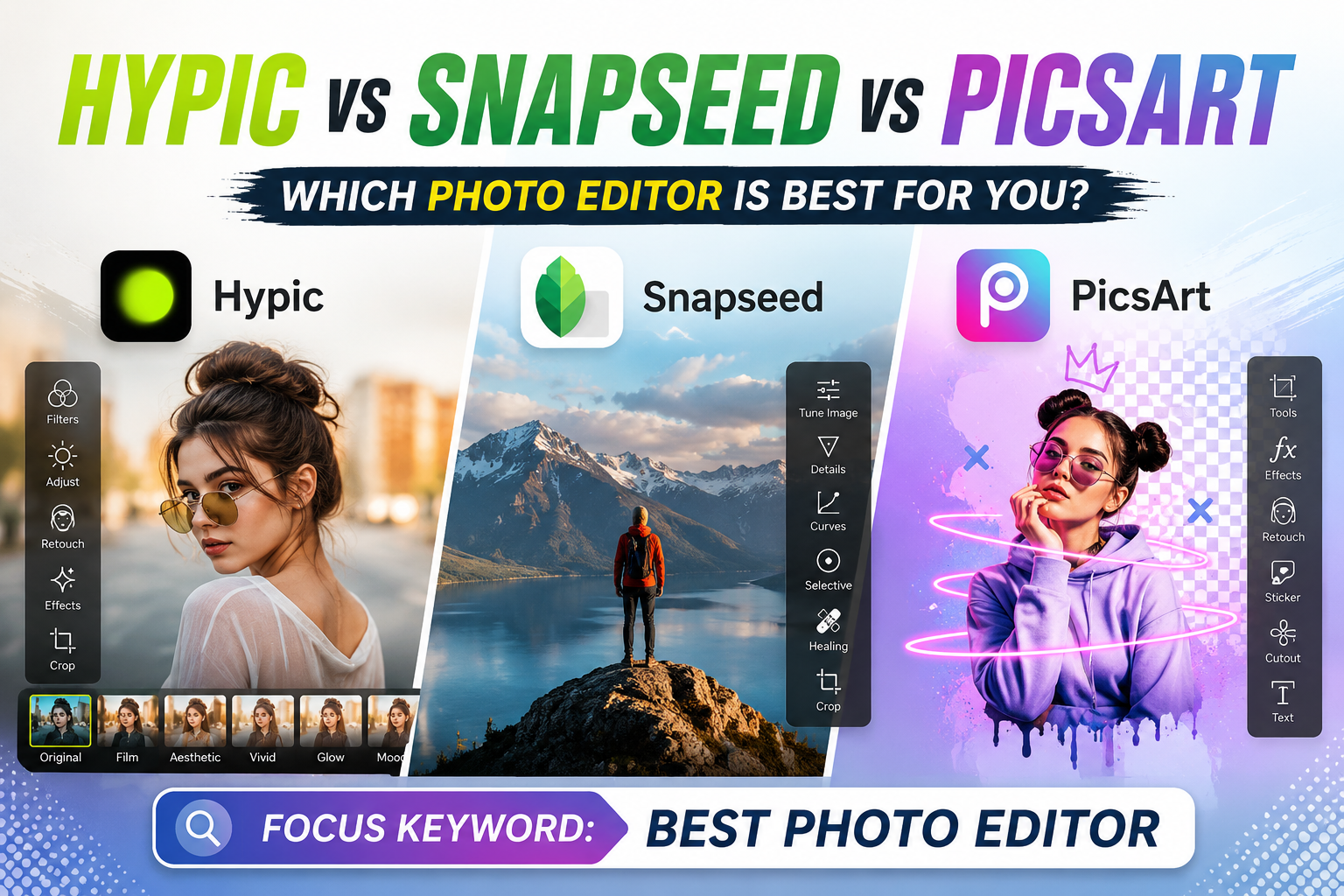
Three apps. Three completely different approaches to mobile photo editing. One question: which one should actually be on your phone?
Hypic, Snapseed, and PicsArt are among the most downloaded photo editing apps on Android and iOS in 2025. Each has millions of users, real strengths, and real limitations. But most comparison articles either review two of the three in isolation — or declare one app the winner without explaining why, leaving you no closer to an actual answer.
This guide compares all three side by side across the factors that matter most: AI capabilities, manual control depth, export quality, learning curve, pricing, and which specific type of user each app genuinely serves best.
What Each App Is Built For
Before comparing individual features, it helps to understand the design philosophy behind each app — because each was built with a fundamentally different user in mind. Comparing them without this context produces misleading results.
Interface and Learning Curve
Hypic Interface
Clean single-canvas interface with tool categories along the bottom bar. No layer system, no track, no mode-switching. Tapping any tool opens a focused set of controls for that function only. The average beginner can open Hypic and produce a usable social media post in under ten minutes without a tutorial. Trade-off: power users who need granular manual control will hit its ceiling relatively quickly.
Snapseed Interface
Full-screen image with gesture-based controls — swipe up/down to select a parameter, left/right to adjust its value. The non-destructive edit stack records every adjustment as a removable layer, letting you revisit any previous edit state without starting over. This is uniquely powerful among mobile editors. The gesture system is slightly counterintuitive for first-time users but becomes fast and natural within an hour of use.
PicsArt Interface
Toolbar-heavy interface with multiple editing modes, a discover feed, template gallery, and community content library. For a simple photo edit, PicsArt requires navigating through more screens than either Hypic or Snapseed. For creators who want template inspiration, community trends, and a design platform — that same complexity is a feature, not a bug.
AI Features: The Most Important Comparison in 2025
Hypic AI Features
AI Cutout (Background Removal): Hypic’s most technically impressive feature. The semantic segmentation model isolates subjects from backgrounds at the pixel level — including fine hair strands, transparent glasses, and pet fur. Results hold cleanly at 100% zoom. No other app in this three-way comparison matches Hypic’s background removal accuracy on portrait photographs.
AI Background Generation: After removing a background, you type a descriptive text prompt and Hypic generates a photorealistic replacement scene. “Cinematic golden hour in a wheat field,” “minimalist studio with gradient backdrop,” “rainy Shibuya crossing at night” — the output matches the subject’s existing lighting and perspective. This feature has no equivalent in Snapseed or PicsArt.
AI Enhance: One-tap quality improvement — sharpens detail, recovers shadow information, reduces digital noise. Produces noticeably better results than comparable one-tap enhancers, particularly on photos taken in low light.
AI Avatar / AI Art Generator: Upload portrait photos, receive stylized avatars in multiple styles — illustrated, cinematic, anime, professional headshot, oil painting. Used by creators for profile pictures, YouTube thumbnails, and branded content.
Beauty Retouch AI: Granular AI-assisted controls for skin smoothing, teeth whitening, face reshaping, dark circle removal. More adjustable than PicsArt’s beauty tools with results that look natural rather than processed.
Snapseed AI Features
Snapseed is not an AI-first editor. Its intelligent features are limited but genuinely useful for photographers:
- Portrait Tool: Face-aware automatic skin smoothing and eye enhancement. Quick and effective for portrait corrections, less granular than Hypic.
- Healing Tool: Content-aware fill for blemish and object removal. Works on simple backgrounds; struggles with complex textures.
- HDR Scape: Smart tone mapping that identifies highlights, midtones, and shadows for dramatic lighting enhancement.
Snapseed’s competitive advantage is not AI automation — it is manual control depth that no AI-first app currently matches on mobile.
PicsArt AI Features
AI Enhance and AI Effects: Style-based AI transformations focused on creative aesthetics — artistic filters, background effects, and one-tap visual treatments. More oriented toward social media style than image quality improvement.
AI Background Remove: Available but noticeably less precise than Hypic’s AI Cutout on complex edges like hair and transparent objects.
AI Avatars (beta): Introduced in recent updates but currently lags behind Hypic’s more developed avatar generation system in both variety and output quality.
Manual Editing Controls
This is where Snapseed clearly separates itself from the other two apps — and where the gap is widest.
Snapseed Manual Controls
29 tools and filters including Curves, Selective Adjust (brush-based local adjustments), Lens Blur, Double Exposure, RAW Development, White Balance, Perspective correction, and Healing. The Selective Adjust tool lets you paint precise adjustments onto specific areas of an image — a capability that typically requires desktop software. RAW file editing means Snapseed works directly with uncompressed camera files from mirrorless and DSLR cameras. The non-destructive editing stack lets you return to any previous state without quality loss.
Hypic Manual Controls
Basic manual adjustments — brightness, contrast, saturation, HSL sliders, warmth, and sharpness. Sufficient for social media editing but significantly limited compared to Snapseed. No Curves, no Selective Adjust, no RAW support. For creators whose editing needs go beyond what sliders can accomplish, Hypic reaches its ceiling.
PicsArt Manual Controls
More manual depth than Hypic — includes Curves, selective color, and a layer-based compositing system. The layer system enables graphic design work that neither Hypic nor Snapseed support. Drawing tools, text layers, and masking add creative options specifically relevant to designers and collage artists.
Export Quality and Format Support
| Export Factor | Hypic (Mod APK) | Snapseed | PicsArt Free | PicsArt Gold |
|---|---|---|---|---|
| Max Resolution | 4K Ultra HD | Original (up to 50MP+) | Original resolution | Original resolution |
| Watermark | None | None | None | None |
| PNG Transparency Export | ✔ Clean edges | ✘ Not available | ✔ Available | ✔ Available |
| RAW File Export | ✘ No | ✔ Yes | ✘ No | ✘ No |
| Subscription required | ✘ Free (Mod) | ✘ Always free | ✘ Free | $7.99/month |
Snapseed exports at the original resolution of the source file — if you shoot at 48 megapixels on a flagship phone, Snapseed exports at 48 megapixels. For photographers producing print work or content that requires maximum resolution, this is a meaningful advantage. For social media use specifically, resolution differences between the three apps are not practically significant.
Full 3-Way Feature Comparison
| Feature | Hypic | Snapseed | PicsArt |
|---|---|---|---|
| AI Background Removal | ✔ Excellent | ✘ Basic only | ⚡ Average |
| AI Background Generation | ✔ Text-prompt | ✘ No | ✘ No |
| AI Avatar Creator | ✔ Advanced | ✘ No | ⚡ Beta |
| AI Enhance | ✔ Strong | ✘ No | ⚡ Style-based |
| Beauty Retouch AI | ✔ Granular | ⚡ Basic | ⚡ Basic |
| RAW File Editing | ✘ No | ✔ Full support | ✘ No |
| Non-destructive Editing | ✘ No | ✔ Full stack | ⚡ Layer-based |
| Selective Adjust (brush) | ✘ No | ✔ Excellent | ⚡ Good |
| Curves Tool | ✘ No | ✔ Yes | ✔ Yes |
| Layer-based Editing | ✘ No | ✘ No | ✔ Yes |
| Collage & Graphic Design | ✘ No | ✘ No | ✔ Extensive |
| Community Templates | ✘ No | ✘ No | ✔ Large library |
| 4K Export Free | ✔ Mod APK | ✔ Original res | ✔ Original res |
| Web Version | ✘ No | ✘ No | ✔ picsart.com |
| Google Photos Integration | ✘ No | ✔ Yes | ✘ No |
| Cost (full features) | Free (Mod) | Free always | Free / $7.99/mo |
Get All Hypic Premium Features Free
Hypic Mod APK unlocks AI Cutout, 4K export, AI background generation, and unlimited avatars — no subscription, no watermarks.
Download Hypic Mod APK →Who Should Use Which App
- You create photos for Instagram, Pinterest, or TikTok thumbnails
- You need AI background removal that holds at 100% zoom
- You want 4K watermark-free exports at no cost
- You use AI-generated backgrounds or avatar portraits
- You prioritize speed and results over manual control
- You edit portraits, selfies, or product photos regularly
- You are a photographer who values manual control
- You shoot in RAW format and need mobile RAW editing
- You need Selective Adjust, Curves, or Lens Blur on mobile
- You want a fully free editor with zero feature limits ever
- You edit photos for printing, not just screen display
- You use Google Photos and want direct library integration
- You create graphic content, collages, or designed posts
- You need text overlays, stickers, or drawing tools
- You want template-based content with community inspiration
- You work across devices and need a web-based editor
- You need layer-based editing for compositing work
- You create content that mixes photos with graphic design
The Optimal Workflow: Use All Three
Many serious content creators in 2025 run a three-stage mobile editing workflow: Snapseed for initial color correction, exposure adjustments, and selective fine-tuning → Hypic for AI enhancements, background removal, and retouching → PicsArt for adding text, stickers, graphic elements, and final design work before publishing.
This is the mobile equivalent of shooting in RAW, correcting in Lightroom, and finalizing in Photoshop — three tools for three distinct parts of the same pipeline. Since all three apps are free (or free via Mod APK for Hypic), the only cost is the storage space on your device.
Pricing: What Each App Actually Costs
| Plan | Hypic | Snapseed | PicsArt |
|---|---|---|---|
| Free version | Available (ads, limited AI) | ✔ Full app, always free | Available (ads, limited premium) |
| Monthly Pro | ~$7/month | Free forever | ~$7.99/month |
| Annual Pro | ~$39/year | Free forever | ~$47.99/year |
| Mod APK (Android) | ✔ All features free | N/A | ✘ Not available |
Snapseed is genuinely free — developed and maintained by Google with no monetization model. Every feature, including RAW editing, Curves, and Selective Adjust, is available to every user at no cost. This is unusual enough to be worth emphasizing.
For Hypic, the Mod APK version eliminates the $7/month Pro cost entirely on Android, giving full access to all AI tools, 4K export, no ads, and no watermarks. iOS users or those who prefer official app stores pay the subscription rate.
Frequently Asked Questions
Final Verdict: Hypic vs Snapseed vs PicsArt
No single app wins across every category in this comparison — and ranking one above the others misses the point of what each app was designed to do.
Hypic is the best choice for creators who produce social media content, portraits, and product photography that benefits from AI-powered editing. Its AI Cutout, AI background generation, and avatar tools have no equivalent in Snapseed or PicsArt. The Mod APK version gives Android users all premium features at zero cost — a decisive advantage for creators watching their monthly expenses.
Snapseed is the best choice for photographers who need manual control, RAW editing, non-destructive workflows, and genuine precision on a mobile device. It is also the only completely free editor in this comparison with zero feature restrictions — ever. For serious photography editing on a phone, nothing else in this comparison comes close to what Snapseed offers.
PicsArt is the best choice for creators who need to combine photo editing with graphic design, collage creation, template-based social content, and community-driven inspiration. It is the only app here that genuinely functions as both a photo editor and a design platform simultaneously.
The most capable mobile content creation setup in 2025 is not a choice between these three apps — it is using all three for what each does best. Together, they cover the complete mobile editing pipeline from RAW correction to AI enhancement to finished graphic design, all without a single paid subscription.
Which combination of these three apps are you currently using? Share your editing workflow in the comments — it helps other creators find the right tool setup for their specific content type.